Contract ABI Data Asset
Smart Contract ABI
To interact with a smart contract, you need to encode and decode its functions and parameters. This requires access to
the contract's ABI (Application Binary Interface).
You can either store the ABI yourself or retrieve it from Ether Scan for verified contracts.
For more details on the ABI format, refer to the Solidity ABI specification.
Create Contract ABI Data Asset
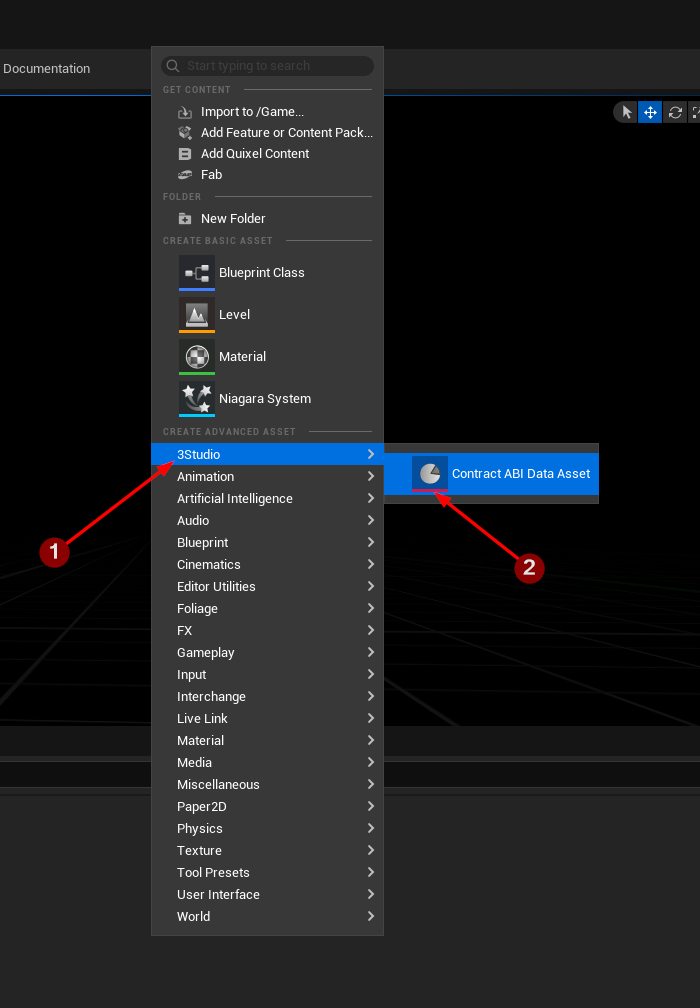
To create a Contract ABI data asset, right-click in the Content Browser and select 3Studio 1,
then choose Contract ABI Data Asset 2 from the context menu.
Configure Contract ABI Data Asset
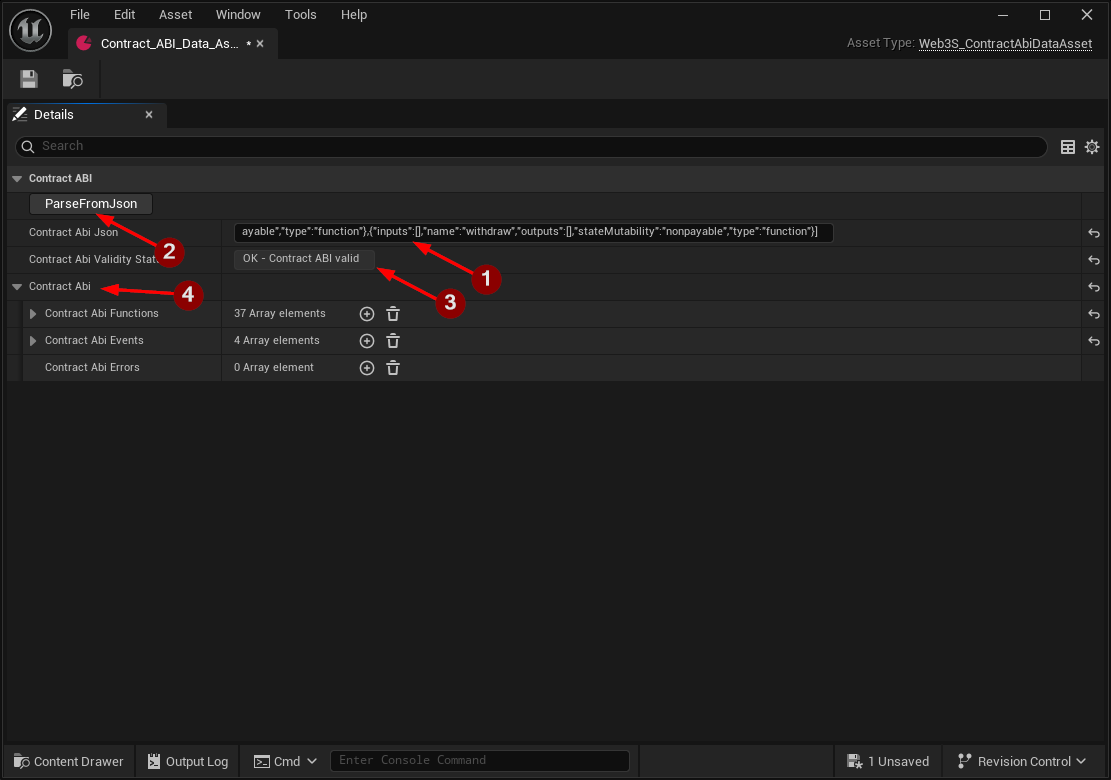
Open the Contract ABI data asset. It will hold data as follows:
Contract Abi Json: Paste the copied ABI JSON string into this field. 1Parse From Json: Click onParse From Jsonto parse the Smart Contract ABI from the given JSON. 2Contract Abi Validity Status: Displays the status of parsing the Smart Contract ABI JSON data. 3Contract Abi: List of data needed from the Smart Contract ABI which will be used later for encoding and decoding. 4
Potential pitfall
After modifying the ABI JSON in Contract Abi Json 1, make sure to click the Parse From Json
2 button to update the data.